Bring in your clients from FYI
Published
FYI exports the Clients list as CSV, with the columns the list shows. Show the name and email columns, export, and choose the file in Import clients: businesses and people are both matched for you.
What this does for you
Every client you keep in FYI, added here in one step.
1. How do I export my clients from FYI?
- Open Clients and show the name and email columns. The file holds the columns the list shows.
- With no client ticked, select View Tools at the right end of the column headings. It needs the Export Client List permission.
- Select CSV Export. The file saves to your downloads.
FYI's guide to exporting lists has more.
2. How do I add them?
- In Clients, select Import clients, then choose the file.
- Check the columns and read the clients to add, and any rows not added with the reason.
- Select Add, which gives the number, such as Add 24 clients.
Nothing is sent to your clients. If it was the wrong file, Undo this import removes them again until you leave the page. Why a row is not added lists each reason.
3. Which columns does it read?
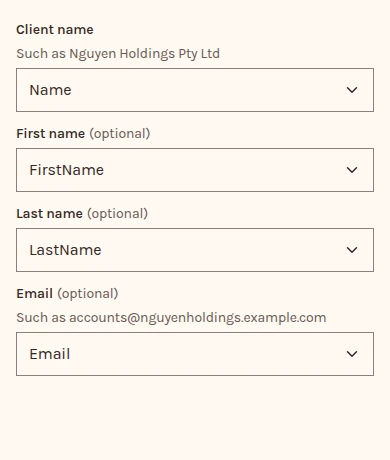
Name or Client Name for the client's name, and Email. FYI fills Name for a business and First Name and Last Name for a person, so a row with no Name takes the person's first and last name.
Every other column is left out, so you don't need to delete any first.