Published · 3 min read
How do I give a broker every property and loan?
Give a broker the household's recorded income, assets and loans, each dated, as a PDF and a spreadsheet.
The broker pack puts a household's income, living expenses, properties, other assets and loans on one dated page, each figure as recorded with its date, and works out Debt to income Loans and HELP debt divided by a year of income and rent, each figure as recorded. from them. It opens from the header of Portfolio position, the page of the household's records today.
The page changes no record and works out nothing beyond the sums and one division. The examples are the Mitchells, our example household, on 1 Nov 2026.
1. What does the pack hold?
The same parts as a broker's fact find, in this order:
- People: each person among the legal owners.
- Income: each person's current income, its amount, how often it is paid, what that is a year, and the day the amount started.
- Living expenses: each one the same way.
- Properties: each property's use, who holds it and in what share, the value you entered with its date, and its rent a year.
- Other assets: cash, investments and personal assets, with the value or balance entered and its date.
- Loans and Loan terms: each loan, and any HELP debt.
Each row opens its record, so a figure that is wrong is fixed where it lives.
2. How is debt to income worked out?
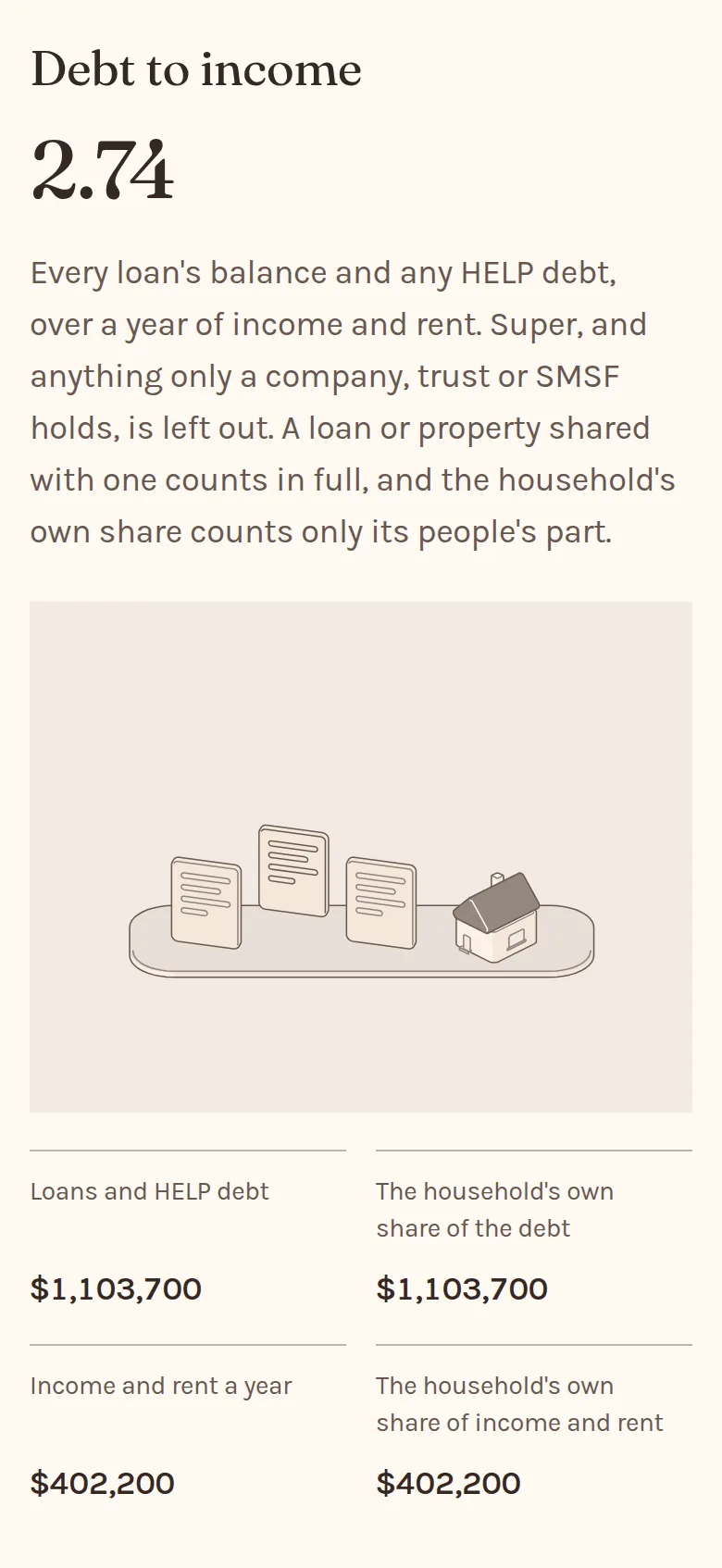
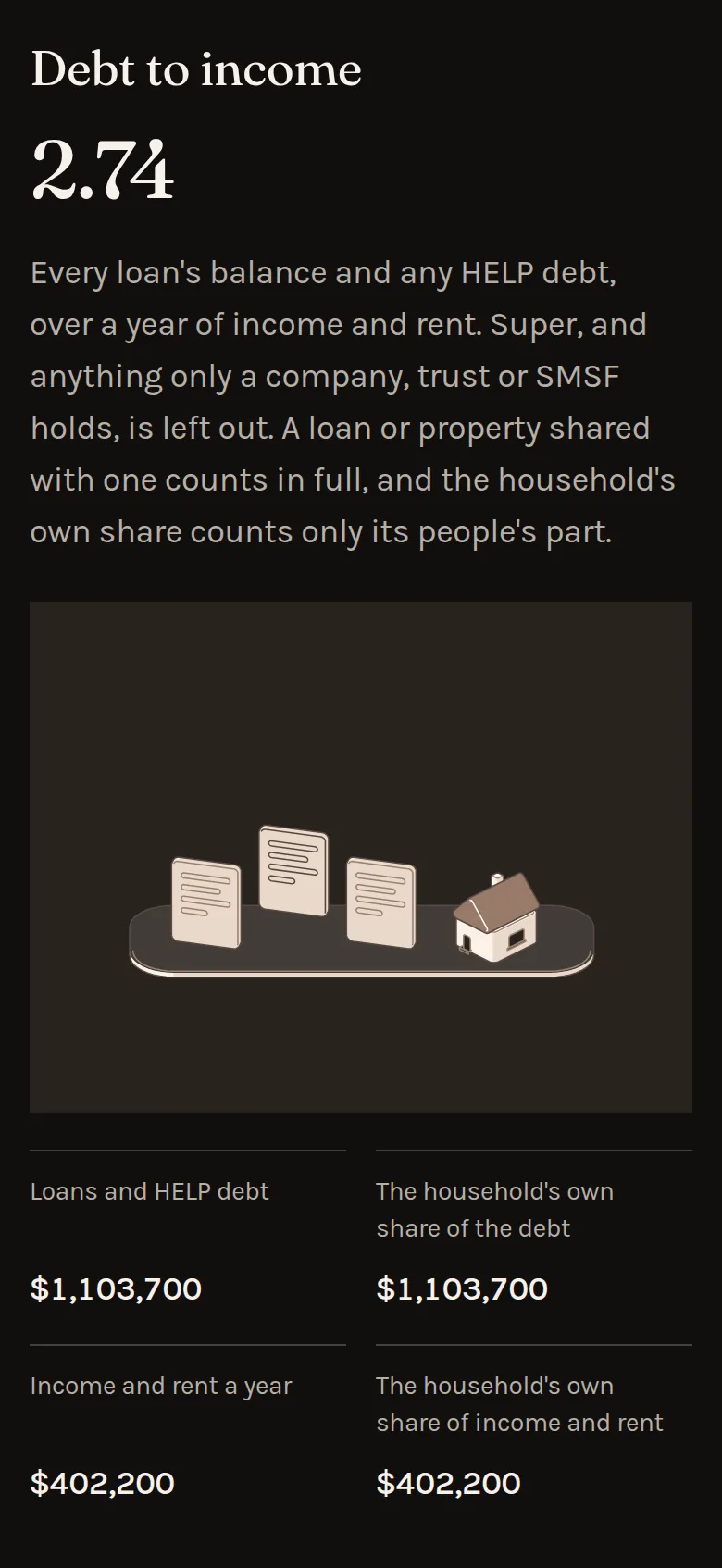
Loans and HELP debt is every loan's latest balance and any HELP debt, added up. Income and rent a year is every income and every rent multiplied by its payments in a year, added up. Debt to income is the first divided by the second, to two places. A loan or property a person shares with a company or trust counts in full, and Held by shows each share. Beside each total, the household's own share counts each record by the share its people hold.
The Mitchells' three loans and Emma's HELP debt come to $1,103,700. Their two salaries, the share dividends and the rent on two properties come to $402,200 a year. $1,103,700 divided by $402,200 is 2.74. They share nothing with a company or trust, so the household's own share is the same as each total. Select any of the figures to see its working, line by line.
It is arithmetic on what is recorded, nothing more.
3. What does it say about each loan?
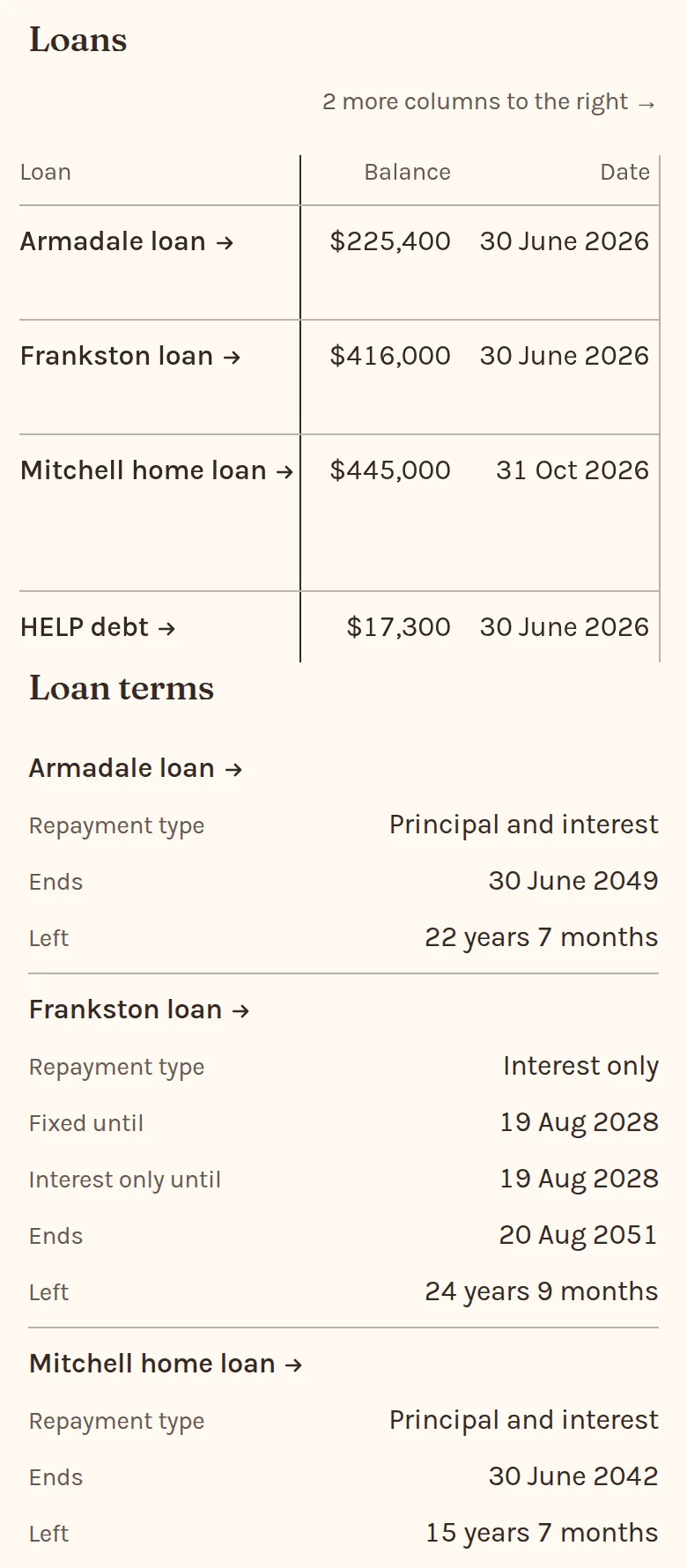
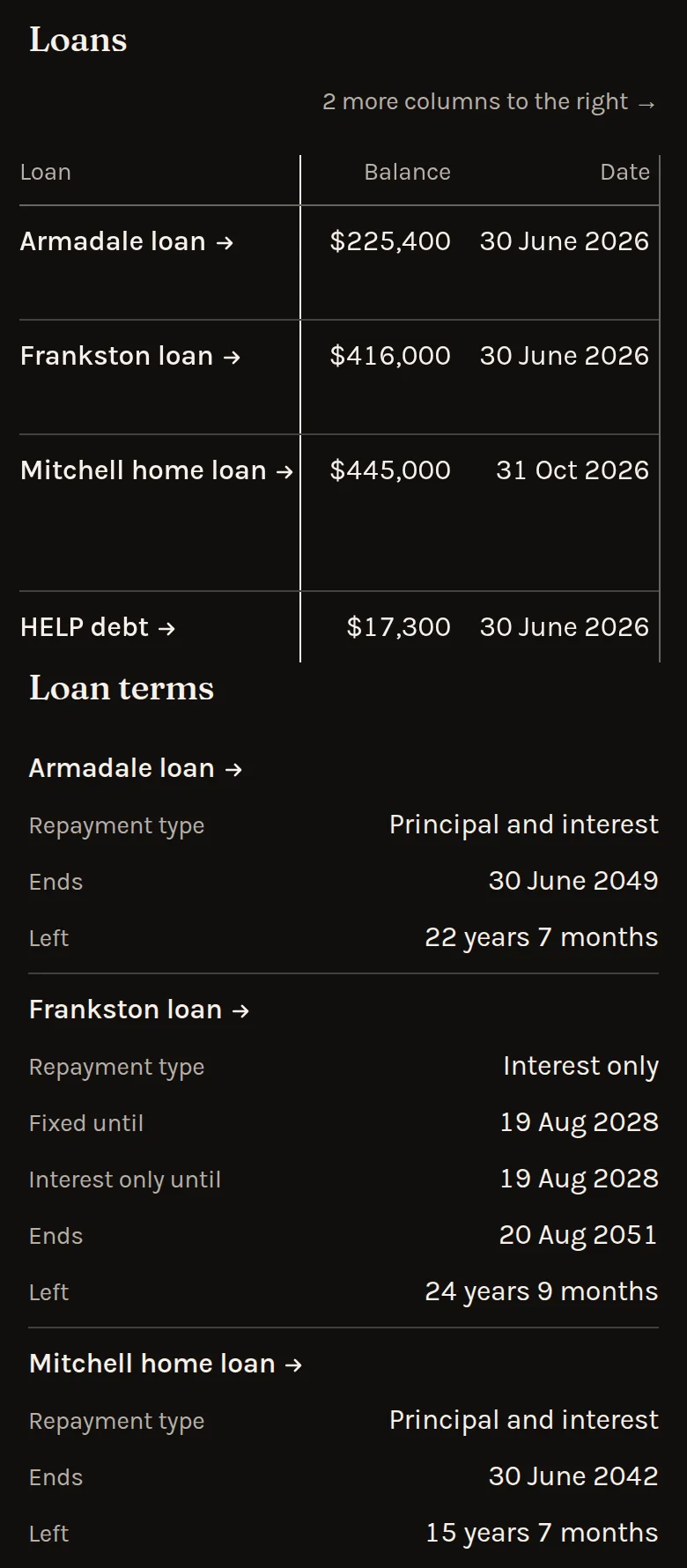
Loans gives each loan's latest balance with its date, who owes it and in what share, its rate today and its repayment. Once a fixed rate ends, the rate is the one recorded for after it. Loan terms gives its repayment type, when a fixed rate or an interest only term ends, when the loan ends and the time left.
The Frankston loan is interest only until 19 Aug 2028 and ends on 20 Aug 2051, 24 years 9 months away.
4. Which figures need updating?
Every figure shows the date it was true on, so a broker can see at a glance which documents to ask for again before lodging. Figures to update lists the ones older than their kind allows, the same ones Setup names: a property or investment value after 12 months, a cash balance after 6 months, a rent or living expense unchanged for 12 months, a fixed rate once it ends, and a deposit that rolled over with no new rate. A loan's balance shows its date, but the list doesn't name it. Records that need a newer figure explains each.
Ending within 90 days lists each fixed rate, interest only term and lease that ends within 90 days.
5. What does it leave out?
- Super, and anything only a company, trust or SMSF holds or pays.
- Any PropRetire value, forecast or tax figure. Each property's value is the one you entered, with its date.
- A payment made once, such as a bonus, which has no amount a year.
- A loan's limit, a credit card and its limit, and any debt that isn't a loan, which no record holds yet, so debt to income counts only the balances recorded.
- A property already sold, a loan already closed, and a dividend from an investment already sold.
6. How does it reach the broker?
Send report sends the pack in a report behind a secure link, to the broker you choose. Download pack saves the same zip: the pack as a PDF and broker-pack.csv. Either way the figures are the ones recorded on the day it goes.
7. What is in broker-pack.csv?
One row for each person, income, living expense, property, other asset, loan and HELP debt, under the same column names as the page: Section, Name, Person, Held by, Kind, Amount, How often, A year, From, Value entered, Balance, Date, Address, Use, Rent a year, Rate, Repayment, Repayment type, Fixed until, Interest only until and Ends. ID is each record's own, so a later file can be matched to the first.
Amounts are in dollars and cents and dates are written year first, so a spreadsheet or a broker's own software reads them as they are.