Help
How to send the accountant pack in PropRetire
Your accountant gets the year's rental schedule, a workbook for each owner and a PDF.
1. Open Packs
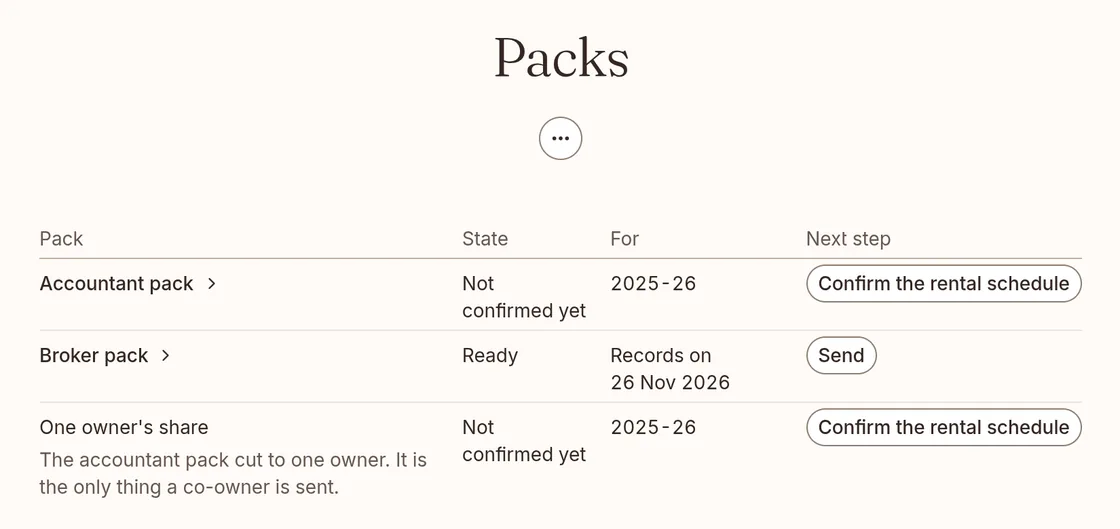
In the sidebar, under Send, select Packs.
2. Confirm the rental schedule
On the Accountant pack's row, select Confirm the rental schedule. Read each rental's lines, then select Confirm for the year, such as Confirm for 2025-26.
3. Send it
Once it is confirmed, the row reads Ready and shows Send, as the Broker pack does here. Select Send, add your accountant, then select Send. They get the pack by secure link.
The details are in Accountant pack.